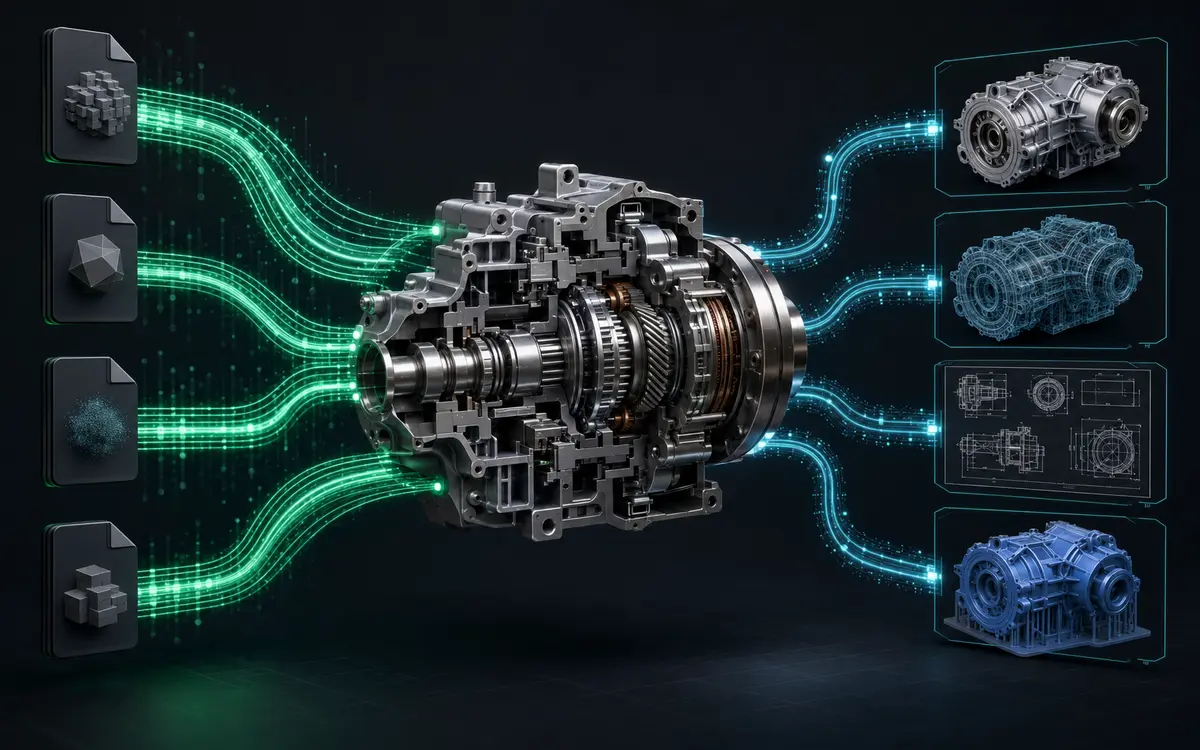
Mechanical CAD assembly connected to an automated multi-format conversion pipeline
Back to Projects

Process Automation

Enterprise CAD-IT Bulk Conversionand Data Pipeline

Connected CAD Updates, Drawings, and Multi-Format Delivery.

An enterprise CAD-IT workflow that connects parameter modification, automatic drawing updates, and high-volume file conversion in one controlled engineering data pipeline.

Project Overview

Engineering Automation Built Around a Real Production Workflow.

Engineering teams often need to update model parameters and then repeat the same changes across drawings, published documents, and neutral exchange formats. At enterprise scale, these repeated operations create a significant amount of manual processing between CAD users and IT-driven data workflows.

This project combines user-friendly parameter modification with automated downstream processing. By connecting model updates, drawing synchronization, and multi-format conversion, the workflow helps engineering information move through a repeatable pipeline with clearer status and more consistent outputs.

Project Focus

Core Solution Capabilities

Simple CAD Parameter Modification

Cadster developed an enterprise CAD-IT automation tool that allows users to modify CAD parameters through an intuitive interface. The system automatically applies the changes and updates the related engineering drawings.

High-Volume File Conversion

The solution converts large volumes of CAD files into formats such as PDF, STEP, and STL. This reduces repetitive manual work and supports faster engineering data processing.

Automated Engineering Data Workflow

The complete workflow connects CAD data modification, drawing updates, and multi-format conversion in one automated pipeline. It improves processing speed, data consistency, and collaboration between engineering and IT teams.

Engineering Workflow

From Engineering Input to Controlled Output.

The project workflow is structured to reduce repeated manual operations while keeping the engineering process clear, reviewable, and suitable for production use.

01

Select Engineering Data

Load the models or datasets that require controlled parameter and output updates.

02

Modify Parameters

Allow users to apply approved parameter changes through a clear and guided interface.

03

Synchronize Drawings

Update related engineering drawings so published information remains aligned with model changes.

04

Bulk Convert & Deliver

Process large file volumes into PDF, STEP, STL, and other required downstream formats.

Project Impact

Practical Value for Engineering Teams.

Connects CAD and IT processing activities

Reduces repetitive parameter and drawing updates

Supports high-volume multi-format conversion

Improves consistency across engineering outputs

Related Applications

Where This Workflow Can Add Value.

CAD-IT AutomationBatch ConversionDrawing PublishingEngineering Data PipelinesEnterprise Processing

Build a Similar Engineering Workflow

Connect CAD Changes to Automated Data Delivery.

Cadster can develop scalable engineering pipelines that combine controlled CAD updates, drawing synchronization, batch processing, and multi-format output for enterprise workflows.

Contact Our Team